What is MojoDocs and how is it different?
It does not upload your files to any server, so your data stays private and secure on your device. This is different from online converters like Online-Convert or Adobe Acrobat. Which require you to send files to their servers, often behind paywalls or usage limits.
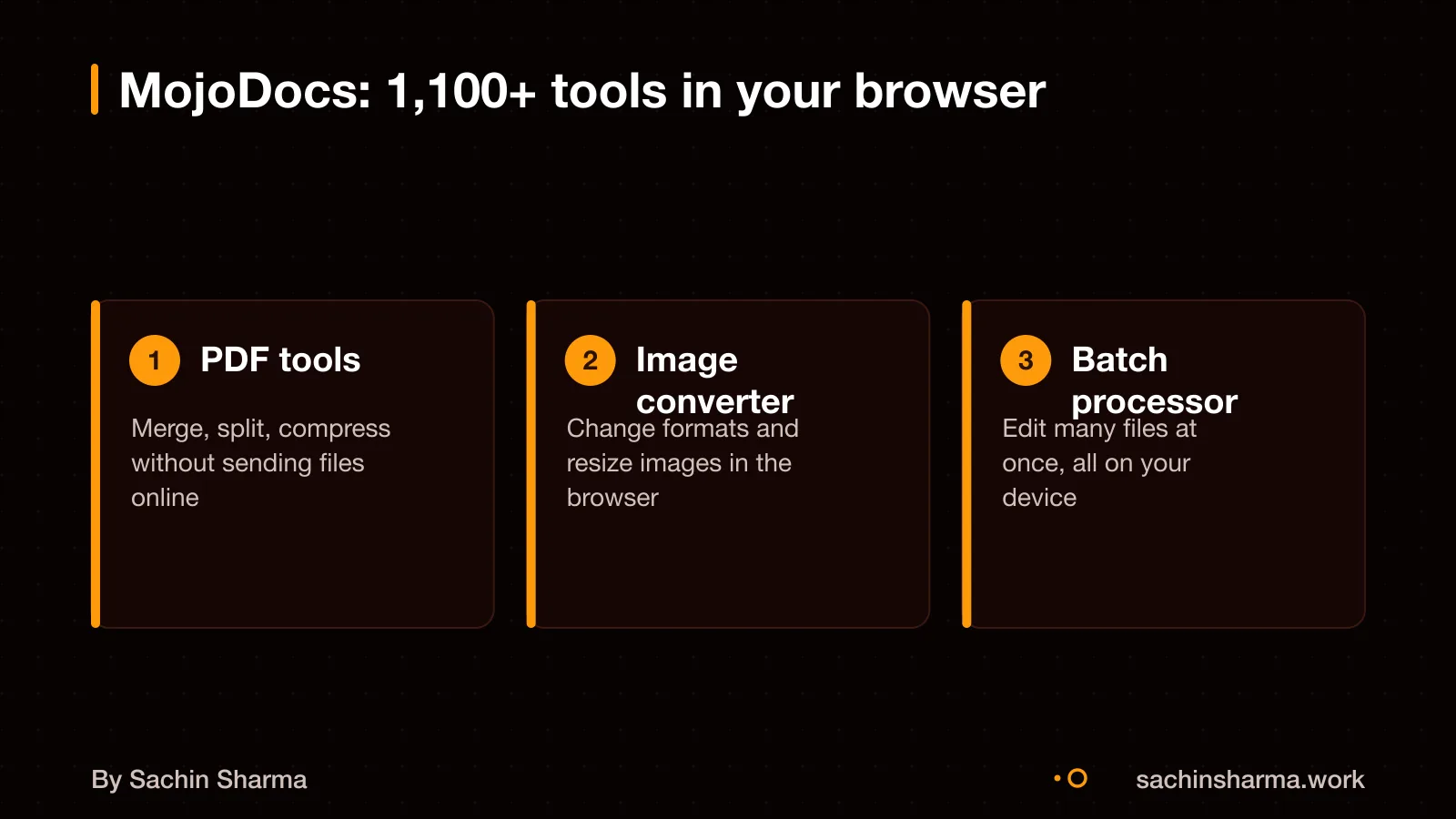
MojoDocs supports tools across file types, including PDFs, images, audio, video, documents and spreadsheets. You can compress, edit, merge, convert and format files without leaving your browser. For example, you can use an image compressor that never uploads your files or a JSON formatter that runs in your browser.
It offers free, unlimited access to all tools with no login, no ads and no tracking. Tasks like PDF compression and AI-based image editing are done locally, making it faster and more private than cloud-based alternatives. Since everything runs in WebAssembly, no installation is needed and there are no ongoing server costs.
How do we know MojoDocs does not upload files?
MojoDocs does not upload your files during processing. All file operations run on your device using WebAssembly, so the data never reaches a server. This is confirmed by the team’s public statement that files remain on your machine.
Files are held only in volatile memory (RAM) while you use them. They are not saved to disk or stored in any persistent way. Once you refresh the page or close the browser, the data is instantly discarded.
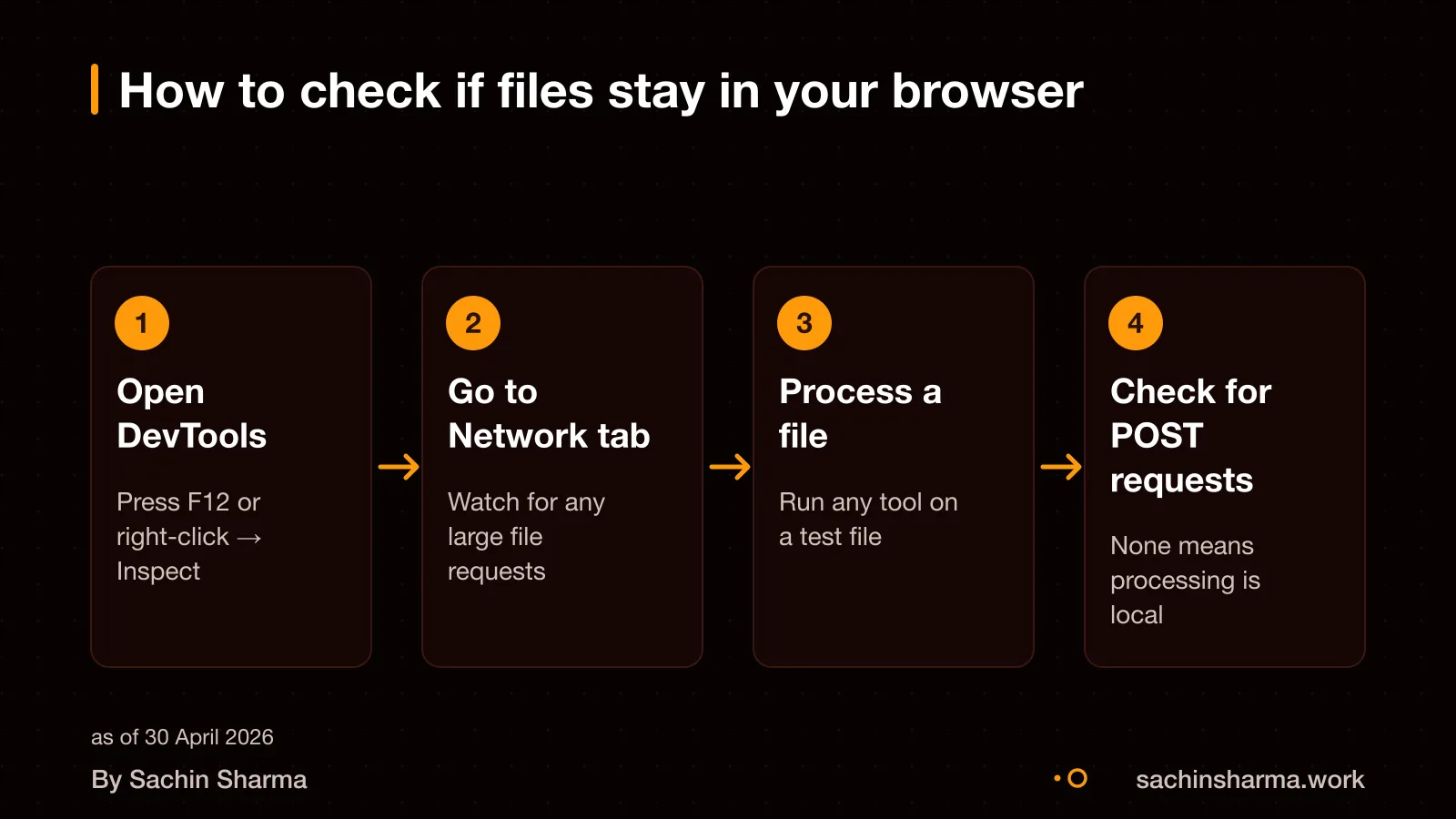
You can verify this yourself. Open your browser’s developer tools and monitor network activity while using a tool. If no file data is sent, and all processing happens locally, you will see no outgoing requests with file payloads. This technical check confirms the claim of local-only processing.
How to check if a tool processes files locally
Yes, you can verify this yourself using your browser’s Developer Tools. Open the Network tab before uploading a file. If the tool processes files locally, you will see little or no network activity during the task. Look for large outbound requests, especially POST or PUT, with payloads close to your file size. These suggest the file is being uploaded for server-side processing. Also, check for requests going to domains like amazonaws.com, storage.googleapis.com or cloudinary.com. Such third-party cloud domains are strong signs of server-side handling. If the Network tab stays quiet, with only small requests to the tool’s own domain, processing is likely happening on your device. You can test this right now using the JSON formatter tool, it runs entirely in your browser.
Which file tools can run in the browser using WebAssembly?
WebAssembly (WASM) can run file tools like PDF editing, image resizing and video conversion directly in your browser. These tasks use heavy computation, and WASM handles them at near-native speed. This means code written in C, C++ or Rust runs almost as fast in the browser as on a desktop.
Web Workers keep the browser responsive during these tasks. They run processing in a background thread, so the user interface does not freeze. MojoDocs uses this mix of WebAssembly and client-side processing for its 1,100+ tools.
But not all tools work this way. Tasks needing internet access, real-time collaboration or access to system hardware cannot run fully locally. Also, large files may fail on low-memory devices. Browser support is wide, but performance depends on the user’s device. Complex processing may not finish on older phones or budget tablets. Always test on the devices your users actually have.
When should your business choose local processing?
Choose local processing when you must protect sensitive data and work without internet access. The main benefit is privacy: your files never leave your device, so they cannot be breached on a server or accessed by third parties. This matters if you handle legal, medical or financial records, where even the risk of exposure could harm trust or break rules. As an opinion, the privacy gains grow over time with repeated use.
Local processing also works offline. Once MojoDocs loads, your browser caches the app logic and you can keep working without Wi-Fi. This helps in low-connectivity areas or when you need to process files on the move.
However, local tools need capable devices and do not support real-time team collaboration. If your team shares and edits files together, a server-based system may be better. For solo or device-specific tasks, local is a secure choice.
You can see this approach in the Sameframe app, which finds duplicate photos without uploading them.
Cost and time to build a local tools platform
There are no ongoing server costs because all processing happens in the user's browser using WebAssembly. You do not pay for cloud compute or storage. However, development costs will depend on the number of tools, their complexity and the team you hire. Since MojoDocs runs 1,100+ tools locally, building a similar platform would require significant development time, but the exact timeline is not known [unknowns]. Each tool must be compiled to WebAssembly and tested for browser compatibility, performance and security. This process can become a bottleneck, especially for tools that depend on system-level libraries or large runtimes.
You can reduce costs by starting with a smaller set of high-value tools and adding more over time. Open-source WebAssembly libraries exist for common tasks like PDF manipulation and image processing, which can speed up development. However, integrating them into a unified interface still requires custom work. You must also budget for testing across devices, since performance varies on low-end phones or older laptops.
The steps to add a new tool are not known [unknowns]. The technical skills needed are not known [unknowns]. Still, finding a team with both deep systems knowledge and product experience may take time.
Want a number for your idea? Send one line on WhatsApp. I reply with what drives the cost and what to cut.
Message me on WhatsAppSecurity, browser support and device limits
WebAssembly is secure for sensitive files because it runs in a sandboxed environment that blocks unauthorised access. It follows your browser’s same-origin and permission rules, so a tool cannot read files you do not allow. For example, MojoDocs uses AES-256 encryption to protect file data during processing.
Most modern browsers support WebAssembly. It works in Chrome 57 and later, Firefox 52+, Safari 11+, Edge 16+, Opera 44+, and Samsung Internet 7.2+. As of April 2026, over 95% of active devices in India run a supported browser version. You can check your browser version in settings or by searching online.
On low-memory devices, WebAssembly may slow down or stop if the system runs out of RAM. The device’s low-memory killer (LMK) can terminate the browser to free memory. This is common on budget phones with less than 4 GB RAM. To reduce risk, close other apps before using heavy tools. For business use, test on the devices your team actually uses.
You should include security and compliance checks in your software contract. Use our software contract checklist to find key clauses.
Next step: message me on WhatsApp with what you want to build. No forms, no sales team.
Message me on WhatsAppWhen local file processing is not the right choice
This approach fails when user devices lack memory or use outdated browsers. If a device runs out of memory, the system starts killing processes to free it up. Android, for example, uses a low-memory killer (LMK) that terminates apps when free memory drops below a threshold. Your file tool may stop without warning on older phones or budget devices with limited RAM.
Weak devices face high risk. The browser may freeze or crash during large file operations. Even if the tool starts, it can be slow or fail partway. The system sends an `onTrimMemory()` signal to warn apps of low memory, but this does not guarantee survival. Users on entry-level Android devices or older iPhones may not be able to use the tool at all.
WebAssembly does not work on Internet Explorer, which never added support. While most modern browsers support it, some users in rural areas or small offices may still rely on older systems. If your audience uses legacy hardware or browsers, a server-based tool is safer.
For projects where reliability on all devices matters, consider a hybrid model. Process small files locally but offload large jobs to a server.
Not sure if your project has this risk? Tell me the plan in two lines and I will say yes or no.
Message me on WhatsApp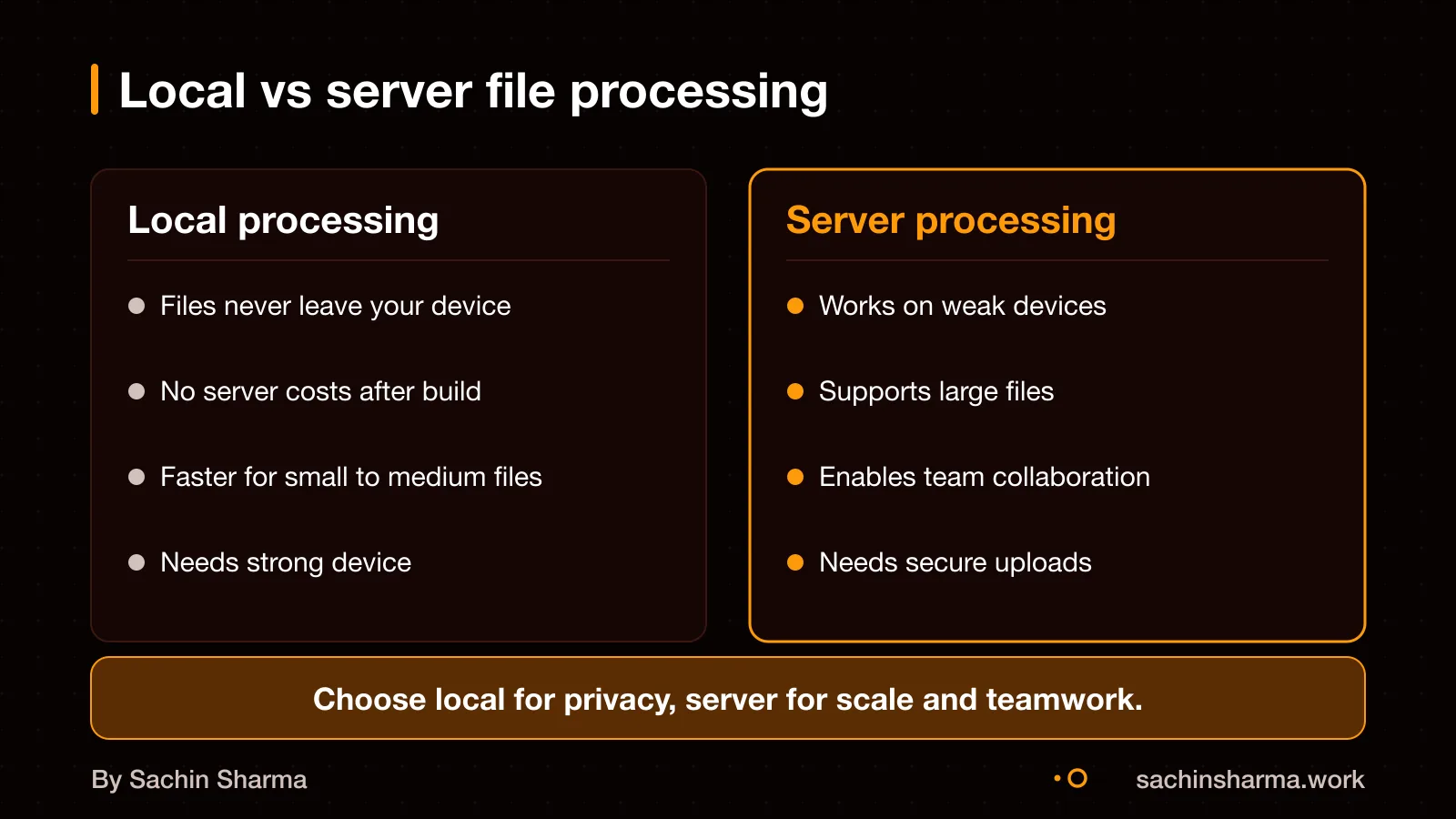
The thinking
- 01
Problem
Online file tools often upload your data to servers, risking privacy and requiring internet access.
- 02
Decision
Run file processing 100% in the browser using WebAssembly, with no server uploads.
- 03
Why it holds
Files stay on your device, processed in memory and discarded on refresh. No server means no upload, no breach risk, and offline use after first load.
What it includes
- PDF editor with compression and merge
- Image tools with AI features
- Audio converter with batch support
Questions people ask
MojoDocs ensures that your files never leave your machine and everything happens instantly and 100% offline.
Yes, MojoDocs can process large batches using Web Workers to prevent the browser from freezing. However, success depends on your device’s memory and browser limits. Very large batches may fail on low-memory devices.
Yes, MojoDocs works on modern Android and iOS phones with Chrome 57+ or Safari 11+. But mobile devices often have limited free memory, so processing large files may be slow or fail.
There is no fixed file size limit in MojoDocs. However, your device’s available memory and browser caps will affect what can be processed. Very large files may cause crashes or slowdowns.
MojoDocs is free, runs locally, and does not limit or charge for file processing. Adobe Acrobat and Online-Convert are paid, cloud-based services that may upload your data and restrict usage.
If the browser crashes, any files in volatile memory are lost and cannot be recovered. MojoDocs does not save progress automatically, so you must restart the task after reloading.
Yes, once MojoDocs is loaded, it works offline. The tool is cached in your browser, so you can disconnect from Wi-Fi and continue processing files.
MojoDocs uses AES-256 as its security standard.