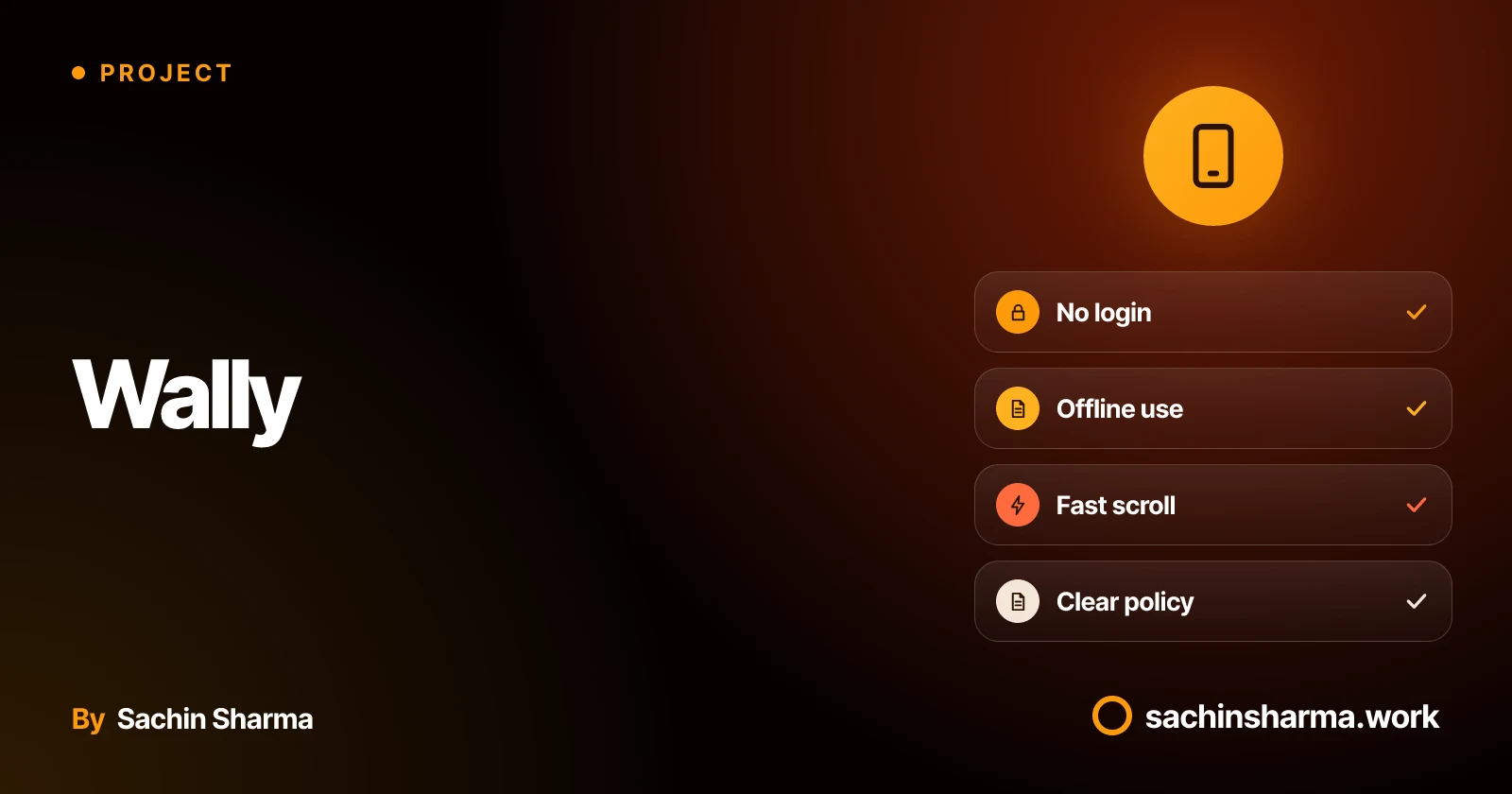
What is Wally and what does it do?
It is a personal project, not a client app. You can browse and set wallpapers without logging in or giving personal data.
It does not store user accounts or track activity. All actions happen on the device. This keeps it fast and private by design. The source code is public on GitHub.
Wally focuses on one job: showing high-quality wallpapers with smooth scrolling and quick downloads. It avoids features like social sharing or user profiles. For apps that must work offline or with minimal data, this simplicity helps.
Wally stores content locally so you can use it without a network.
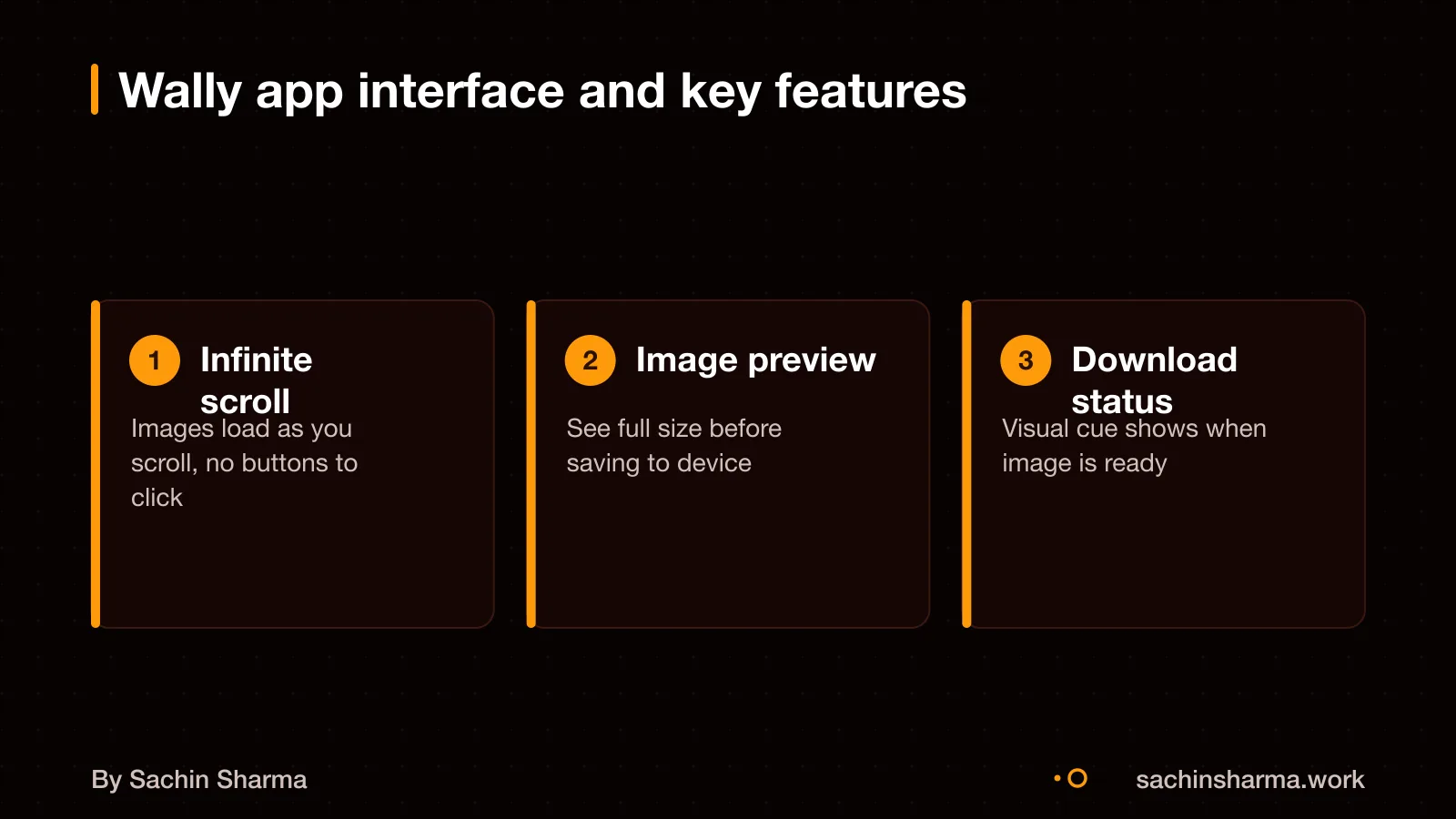
What problem did Wally solve that a gallery app could not?
Wally allows access to wallpapers when offline by storing them locally. Local caching stores images on your device after the first load, so you do not wait each time you scroll. This is better than just downloading because it happens in the background, is managed by the app, and supports infinite scroll without lag. Local caching may help browsing continue if the connection drops. The user goal is uninterrupted discovery and quick access to favourite wallpapers without re-downloading. For example, someone on a crowded train with patchy data can still scroll through hundreds of images they have seen before. All loading instantly from the device. This approach supports real-world use where connectivity is not promised. You can read more about building for real-world conditions in the guide on building for real-world conditions.
How does Wally work on slow Indian networks?
Wally uses local caching which may reduce repeated downloads. Once an image is cached, you can view it without any network connection, making it reliable even on 2G or patchy 3G. This means the app does not have to wait for a server response each time you open a wallpaper.
The app does not claim to use adaptive loading techniques like serving lower-quality images on slow networks. However, by storing images locally after first use, it cuts down on data usage for repeat views. You only download each image once, which is useful if you are on a limited data plan.
There is no public data on how Wally handles timeouts during initial load or how it recovers from failed downloads. So while the design supports offline use, the exact behaviour during poor connectivity is not specified.
If your app must work reliably on 2G, you should ask the developer how it handles timeouts, retries and data compression. For more on tech stack choices that help in Indian conditions, see tech stack choices for Indian apps.
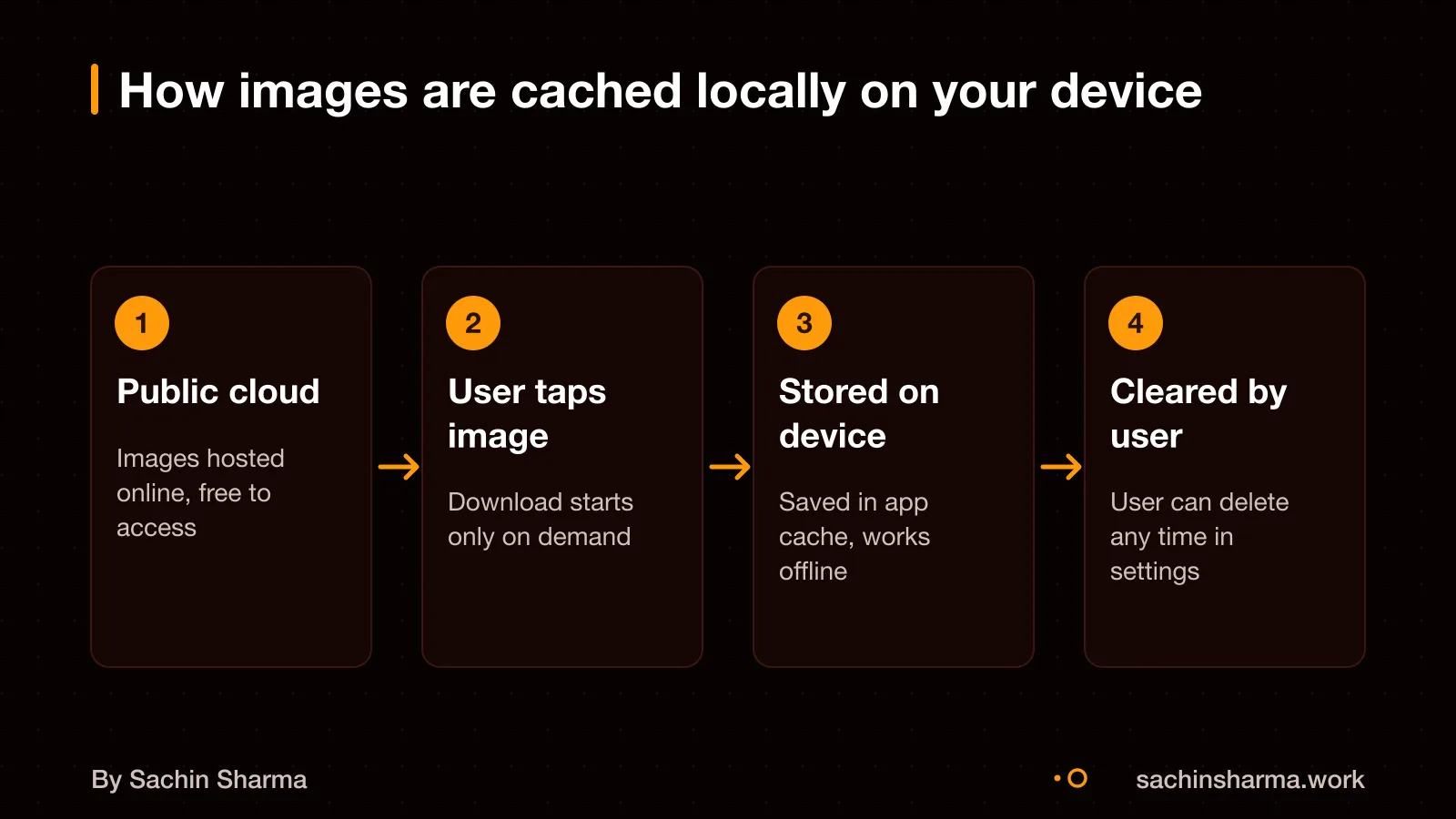
How does Wally cache images locally?
Wally caches your walls and bricks so you can access them even when you're not connected to the internet. This local storage means the app works offline, a key need in areas with spotty or slow networks.
This frees up space if the app has stored many images over time.
How Wally handles device storage limits is not documented in the available evidence. There is no public detail on whether it uses automatic eviction, warns before filling storage, or adjusts download size based on free space. As a result, it is unclear if the app proactively manages storage pressure.
If you plan to build an app that caches media, you should define a clear storage strategy. This includes setting cache size limits, allowing user control, and handling low-storage scenarios safely. For long-term access, users should also be able to back up or export their content.
See how owning your app's code and architecture helps you control features like caching owning your app's code and architecture.
Why Flutter might be considered for apps like Wally
Flutter lets you build one app that runs on both Android and iOS with the same code. This can save time and cost if you plan to launch on multiple platforms. It is known for smooth, custom user interfaces, which helps when building media-rich apps with scrolling galleries or animations.
For apps that need offline access or local caching, Flutter works well with tools like Hive or SQLite to store data on the device. This means users can view content without a network, a key need in areas with unreliable internet.
However, Flutter apps can use more device memory and storage than native ones. They may also face limits when using advanced platform-specific features. The choice depends on your app’s goals: Flutter suits apps that need fast, attractive UIs across platforms. But may not be best if you need deep system integration or very low resource use.
You can learn more about mobile app development in Flutter here.
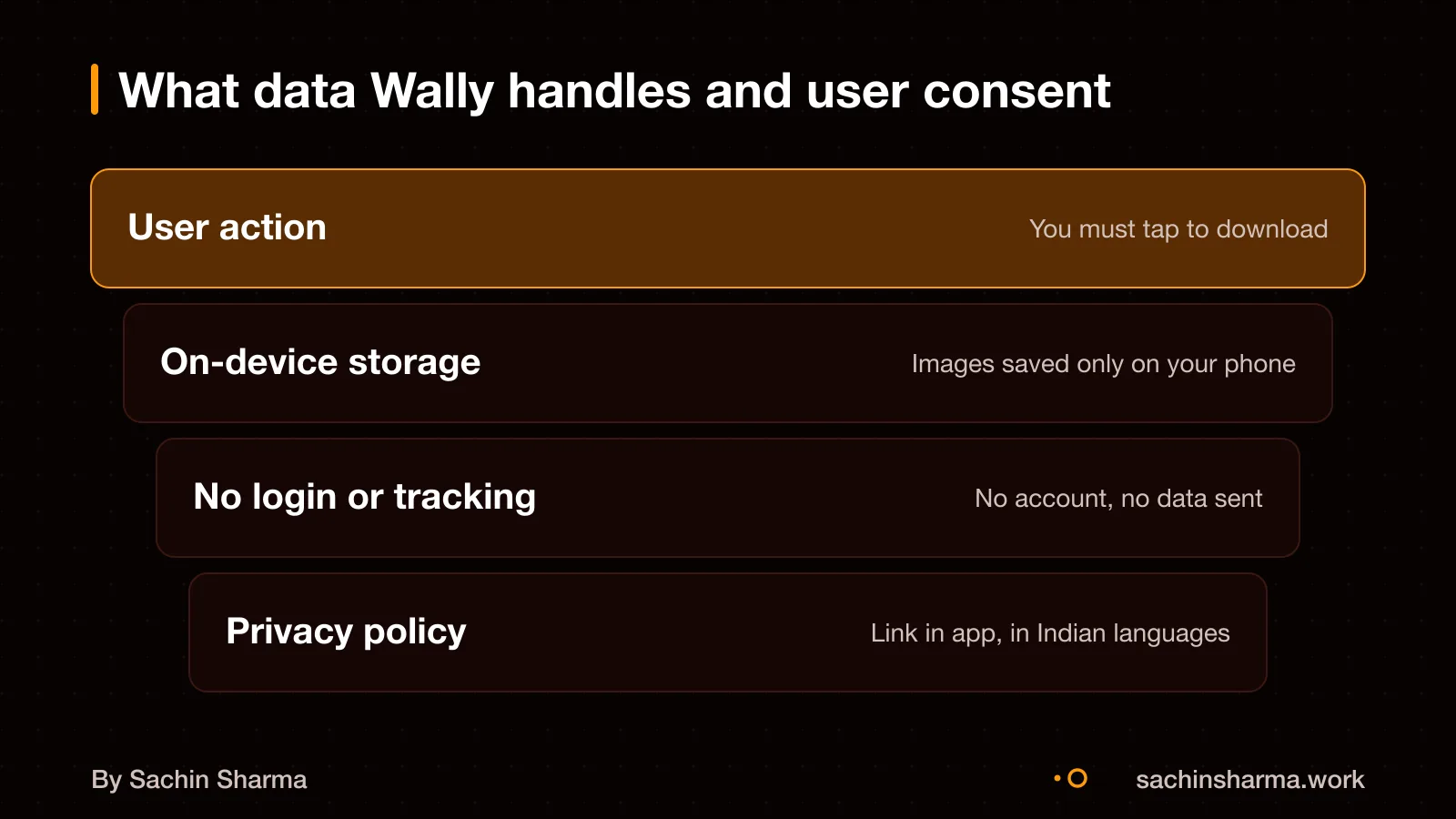
Does Wally follow Indian privacy and data laws?
Wally caches public images and does not ask for login or permissions like location or contacts. According toexplicit consent is required when retrieving user data from Google via APIs. But this does not apply if no such data is retrieved.
However, if your app collects any user data, like device identifiers or usage logs, you must get clear consent before collecting or using it.
Indian law requires every app that acts as an intermediary to publish its privacy policy. The policy must be in English or in any language from the Eighth Schedule of the Constitution. This means your app must display a privacy policy in languages such as Hindi, Tamil, Bengali or others used widely in India. Even if your app does not collect data, you should still publish a simple policy stating that fact. This helps you stay compliant.
You may consider adding support for a regional Indian language if your audience uses them. If your app allows user uploads, comments or messaging, you would also need to file monthly compliance reports. These reports detail complaints and actions taken.
For your own app, ask: are you storing only public content with no user accounts? Then consent may not be required. But you must still publish a clear privacy policy in accessible languages. If you plan to collect any personal data, build consent flows from the start. See the full rules on DPDP Act consent flows for apps to prepare.
As a note, the specific Indian laws covering local caching of public images are not listed in the evidence. No third-party services used by Wally are disclosed. If your app pulls content from APIs or public sources, check their terms and consider privacy risks. As seen when the Indian app Slick exposed 153,000 users’ data due to poor configuration. When in doubt, treat cached content as sensitive. Avoid storing anything beyond what is necessary.
What are the ongoing costs for an app like Wally?
An app like Wally may have no monthly fees depending on implementation choices, but specific costs for Wally are not documented. Wally’s status as a personal, non-commercial app is not confirmed in evidence. Platform revenue shares may not apply if there are no in-app purchases or ads. If you later add features like user uploads or analytics, costs could include cloud storage (e.g.. ₹200 to ₹1,000 per month for moderate use) or bandwidth, but Wally’s current setup does not confirm this.
Whether image delivery incurs cost depends on the API used; Wally’s source and pricing model are not disclosed. Wally’s third-party services and their pricing models are not disclosed. As an estimate, assuming a free-tier API and no user-generated content, ongoing costs could be ₹0 per month.
Hidden costs are not documented. Common risks in similar apps include unexpected API overage charges, storage limits, or maintenance time if the source API changes. Update cycle and backend dependencies are not disclosed. To avoid surprises, review the terms of any third-party API and monitor usage.
Want a number for your idea? Send one line on WhatsApp. I reply with what drives the cost and what to cut.
Message me on WhatsAppWhen should I not build an app like Wally?
When should I not build an app like Wally?
- Your app does not use media. If your app is text-based or shows only small icons, local caching of large files is overkill. A simple web view or lightweight list may be enough. For example, a to-do list or a contact directory does not need offline image access.
- You serve a small audience on good networks. If your users are in cities with strong 4G or Wi-Fi and rarely face outages, the benefit of local caching is low. In such cases, streaming content live is simpler and cheaper to maintain.
- You do not need fast performance or offline access. If waiting a few seconds to load content is acceptable, then building a complex offline-first app like Wally adds unnecessary work. For internal tools or low-traffic apps, a basic design often suffices.
- You want to avoid device storage use. Local caching stores data on the user’s phone, which can fill up storage over time. If your app handles large files and users have limited space, consider streaming instead or let users choose what to download.
Next step: message me on WhatsApp with what you want to build. No forms, no sales team.
Message me on WhatsAppThe thinking
- 01
Problem
Wallpaper apps serve large images. In India, many users are on slow networks or low-end devices with limited RAM. Scrolling felt choppy and images took too long to load in early tests.
- 02
Decision
Use local caching for downloaded wallpapers and build a network-aware loader that adapts to connection speed and resumes partial downloads.
- 03
Why it holds
Caching reduces repeated network calls. A smart loader avoids freezing the UI on slow connections. Together, they make infinite scroll smooth even on 2G or unstable Wi-Fi.
What it includes
- Infinite scroll with momentum
- Local caching for viewed wallpapers
- Network-aware loading with resume support
Questions people ask
Wally uses local caching and offline-first design, which may help in Indian conditions with slow or unreliable networks. It is a proof point for technical choices, not a business model to copy. You can assess if similar methods fit your app's needs by reviewing Wally's approach.
Yes, you can reuse or modify Wally's code under the Apache License 2.0, with attribution and without charge. Modified files must carry a notice stating they have been changed. The license allows distribution in any medium.
Use profiling tools to check if disk operations run off the main thread and do not block the UI. Test performance on low-end devices and slow networks. Request a code review or performance audit if you are unsure of your implementation.
Local caching can lead to storage bloat, privacy exposure if misconfigured, and compliance risk if user data is cached without consent. These risks are higher if the app handles personal data or runs on shared devices.
No, Wally is not designed for sensitive data. It caches public wallpapers only. Do not use it or its methods for personal or sensitive data without explicit user consent and proper safeguards.
Wally works offline, scrolls infinitely, and caches images locally so they load fast on repeat visits. Web galleries often require constant internet access and may not support smooth scrolling or offline use, especially on slow networks.
Wally is a Flutter wallpaper app with infinite scroll and local caching.
Start simple: post high-quality product photos. Use Razorpay Payment Pages to create custom-branded payment pages in minutes. This allows automated receipts upon payment confirmation.