What problem does Loopin solve for users?
Loopin is an iOS application for songwriting and music project management. It is used for importing audio, capturing takes, writing lyrics and notes, organising song versions, and tracking project status. By storing everything on the device first, it works fast even offline and keeps your work private. You can export teaser clips and back up your library to Google Drive when online. This improves on other trackers that require a live connection, slow down during sync, or expose your drafts to third-party servers. The target user is a solo creator or small music team who values speed, privacy and control over real-time collaboration. For team-based workflows with live updates, see how Aashwasan handles team workflows.
How long can Loopin work without internet?
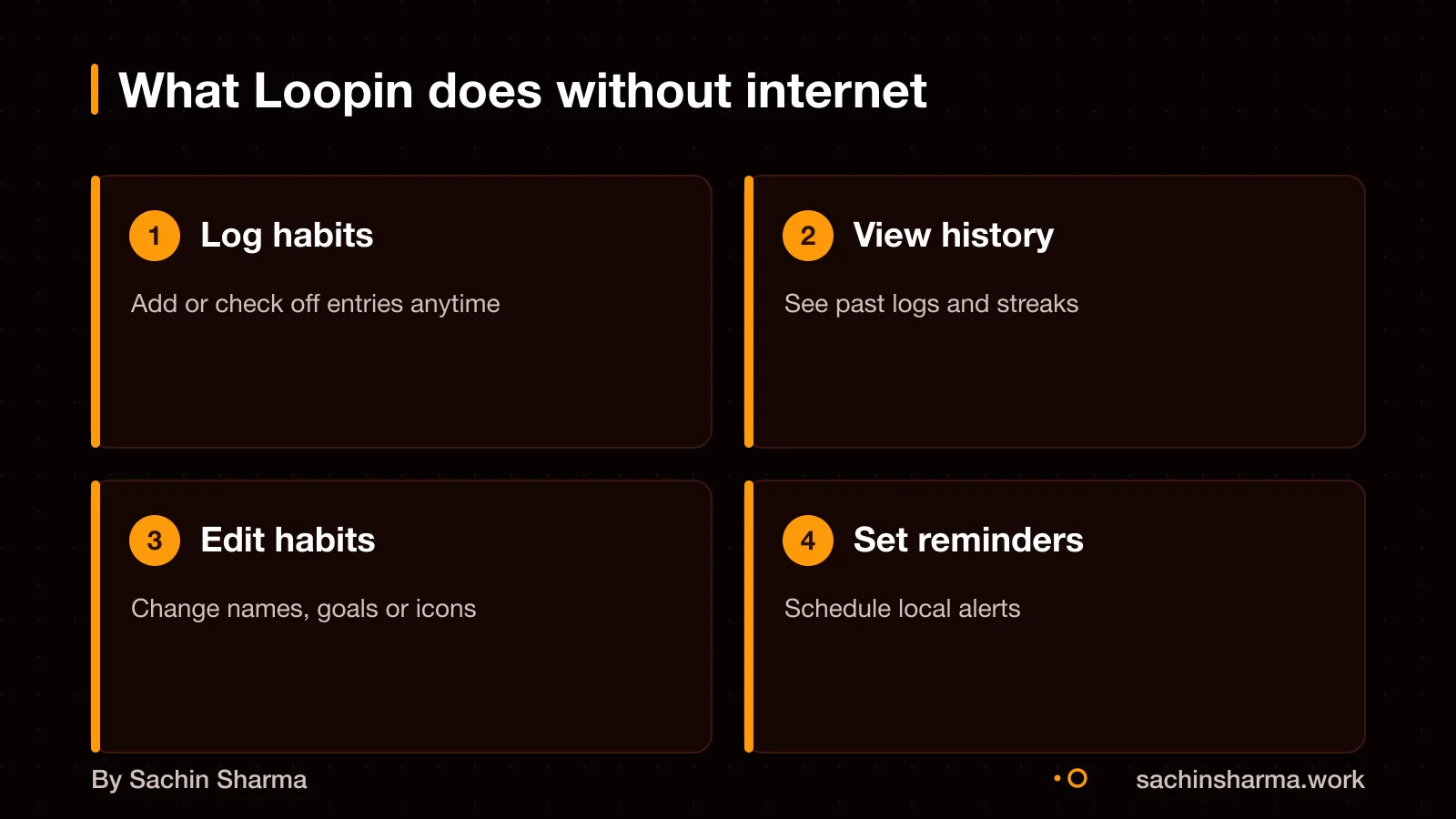
Loopin remains usable without a reliable network connection and stores data locally on your device. You can present local data immediately without waiting for network calls. The app shows your data instantly, without waiting for a server response.
Internet is only needed when syncing changes to Google Drive. Sync happens manually or on demand, not in real time. This means you can use Loopin for days or weeks offline, for example, during travel or in low-connectivity areas, and sync later when convenient.
For new users, internet is required once during setup to link the Google Drive folder. After that, no background checks or periodic pings are needed. This design ensures speed, privacy and low data use.
Learn more about what offline-first means.
How does data sync between devices in Loopin?
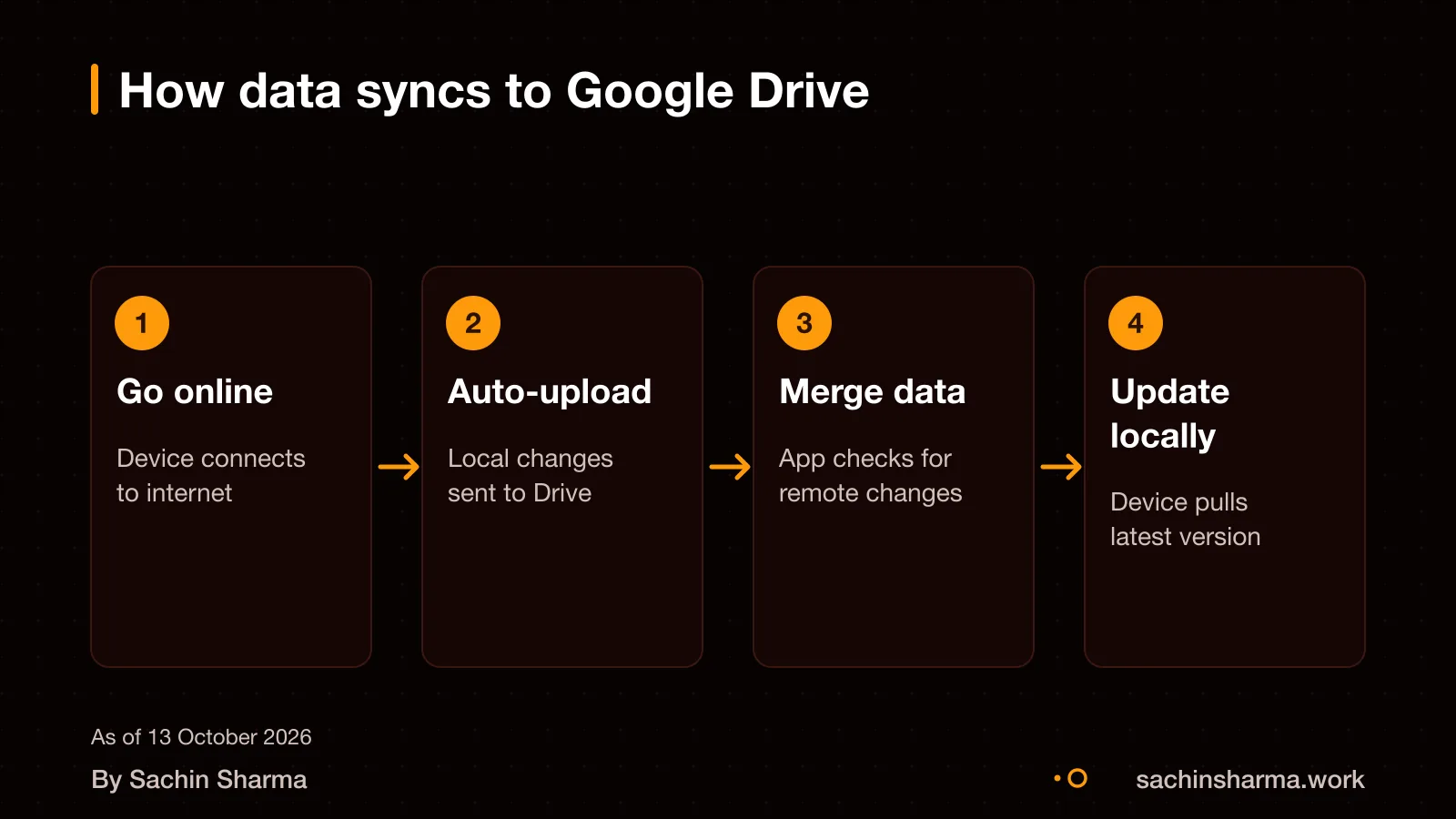
Data is stored locally and can be synced to your private Google Drive folder when you enable sync. You do not need Wi-Fi or Bluetooth for this process. Data is stored first on your device, then copied to Google Drive when connected to the internet. This is different from the Polar Flow system, where devices must be near each other and Bluetooth must be on for syncing. In Loopin, the sync happens in the background whenever the app detects internet access. Since the data lives in your Google Drive, you can access it from any device where you are logged into the same Google account. You do not need to keep the app open or stay within range of another device. This method avoids the need for a custom server while still letting you switch between phones or tablets. For developers, see how to integrate Google sign-in in Flutter to set up authentication.
What happens when two devices change the same habit?
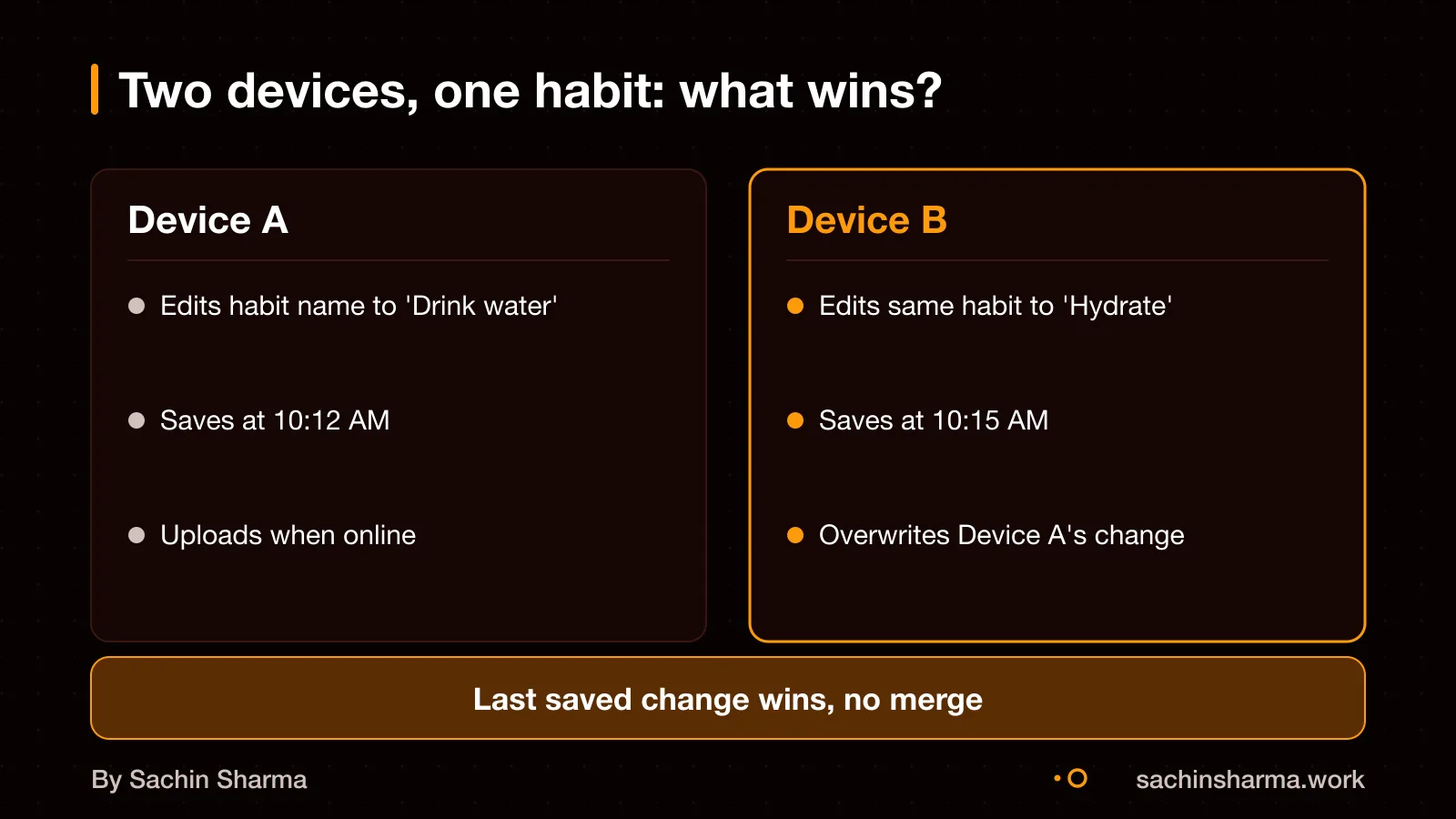
Loopin may use a last write wins approach where devices attach timestamp metadata to written data. This means if two devices edit the same habit, the one with the newer timestamp wins, and the older data is discarded. Users do not see conflict alerts or a merge option. For list-type data, new entries are appended; the app includes validation to prevent duplicate event registrations. There is no log merging, only overwrite for single values, add for new items. As a result, edits made offline on slower clocks may be lost if another device recorded a change first.
Who owns the data in Loopin?
You own all your data in Loopin, and no one else can access it. The app does not sell, share, or transmit your content to anyone, including the developer. Your data stays on your device by default, stored locally using Hive. Only moves to your private Google Drive folder when you enable sync for backups or cross-device access. Since the data is not sent to any server, neither the developer nor third parties can view or use it. This design ensures strong privacy and limits access to user data.
What features need a server and are missing in Loopin?
You cannot get push notifications, real-time collaboration, admin dashboards or role-based access controls in Loopin because it has no backend server. These features require a central system to route messages, enforce permissions or process events, which Loopin avoids to stay offline-first.
As an estimate, adding real-time features later would require introducing Firebase or a custom backend. Changing the sync model from Google Drive to a live database, and revising the security model. This increases cost and complexity.
For projects needing these features, consider when to build with a backend.
How long and how much to build a similar app?
The build time and cost for Loopin are not published. No official figures are available for the hours or money spent on its development. What drives the price are factors like the number of screens, sync logic, conflict resolution, offline behaviour, and third-party integrations such as Google Drive. Apps with complex local data rules or rich media handling take longer. Simpler habit trackers cost less; those with custom AI or cross-platform sync cost more. For a tailored estimate, share your core features and target platforms.
Want a number for your idea? Send one line on WhatsApp. I reply with what drives the cost and what to cut.
Message me on WhatsAppWhen an offline-first design like Loopin is wrong for your project
You need a server when real-time team collaboration is essential. Without one, changes from multiple users may not be merged safely. For example, if two team members update the same record offline, the last write wins, and one change is lost.
An offline-first app fails in business settings that require audit trails, role-based access, or admin controls. Loopin: a Flutter offline-first habit tracker (Hive, Google Drive sync). If your team needs a manager to review entries or block incorrect data, this design will not work.
Sync may not resolve complex conflicts and can overwrite older data with newer data based on timestamps. If your use case involves high-frequency updates across devices, a server-based system with merge logic is safer.
Can your app work like Loopin if it needs real-time team updates? This design suits personal tracking, not team coordination. For real-time updates, a server is needed to push changes instantly. Without it, data stays local until sync. You can test this by turning off internet on one device and updating a habit, then checking another device before syncing.
How do you protect user data without a server? Use client-side encryption and local storage. However, you must still check if your app handles sensitive personal data under India’s DPDP Act. As a rule, if data never leaves the device, your privacy risk is lower. But always get a legal opinion for compliance.
What should you check before copying Loopin’s sync method? First, confirm your users have Google accounts and allow Drive access. Loopin relies on Google Drive for sync, so users must sign in if they use sync. Second, test sync speed on low-end devices and slow networks. Third, plan for conflicts: if two devices change the same item, the last sync wins. You can simulate this to see if it breaks your workflow. Lastly, ensure your app works fully when Drive is down or access is revoked.
Related reading: how Aashwasan handles team workflows, your rights under the DPDP Act, when to build with a backend.
Still unsure between offline-first and server-based? Tell me your budget and timeline and I will say which fits.
Message me on WhatsAppAssumptions behind the numbers
- Google Drive is used for sync instead of iCloud to reach more Android users
- Sync is optional and not automatic to save bandwidth and battery
- Offline use is more valuable than real-time collaboration for solo creators
The thinking
- 01
Problem
Music creators and producers lose time switching between tools and struggle with version control, especially when working offline or across devices.
- 02
Decision
Build Loopin as an offline-first app using local storage and optional Google Drive sync, not a server-first model.
- 03
Why it holds
Offline-first keeps the app fast and usable anywhere, gives users control over their data and cuts server costs. Sync is optional and user-triggered.
What it includes
- Import audio, capture takes, write lyrics
- Organise versions and track project status
- Export teaser clips and full backups
- Optional Google Drive sync for multi-device use
Questions people ask
You can use Loopin without a Google account, but you will not be able to sync data via Google Drive. Without it, all data stays on the device.
Yes, the source code for Loopin is publicly available on GitHub.
Loopin's compliance with India's Digital Personal Data Protection (DPDP) Act is not confirmed. If you plan to use it for business, check this for your case with a data protection lawyer.
There is no public information on how to export data from Loopin.
If you lose your phone and did not enable sync, your data is lost. If sync was on, your content is stored in iCloud or Google Drive, so you can recover it on a new device.
An offline-first design works well for personal tools like Loopin, but not for regulated or team-based business systems. For team workflows, see how Aashwasan handles collaboration.
Ask: what works offline, and how to export data. These are important for offline-first apps.